


04-05-2020, 10:15 AM
Thanks to JeremyG for making his Microbee disk collection available to be imaged. All were 5.25" standard Microbee disks and all imaged 100% error free using the Floppyio with ubeedisk.
All the disks were for a 56k Microbee, with one marked as Master and when booted it had ZCPR1 in its title, as below :-
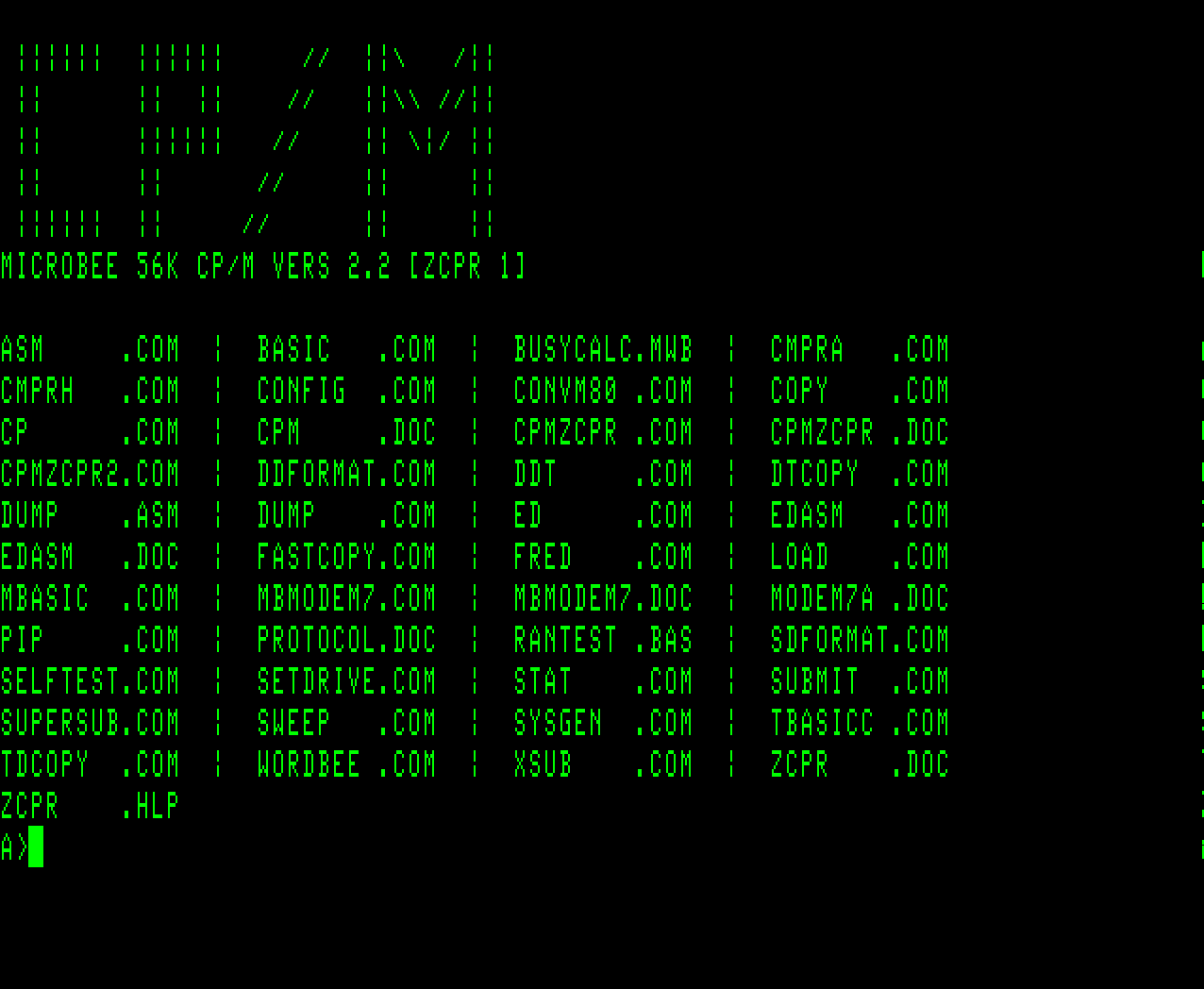
On the disk was CPMZCPR.COM and CPMZCPR.DOC. The .DOC file reads:
"ZCPR" is a public domain software item which fits in place
of the normal CP/M CCP, and gives both more flexibility and
usability.
Applied Technology has NO rights over this program, and
includes it on the distribution disk as a service only. Its
presence on the disk has not and will not be advertised - thus
it is of no commercial advantage to Applied Technology.
To install the "ZCPR" version of CP/M on a disk, use SYSGEN
as follows ...
A>SYSGEN CPMZCPR.COM <cr>
and then specify the destination drive as for a normal
"SYSGEN" session.
So this had obviously been applied to the Master disk. But also, there was a CPMZCPR2.COM file, not seen before, and using SYSGEN as above, it created a ZCPR2 boot version. So now we have both ZCPR1 and ZCPR2 versions of the disk.
For the full list of extra funcionality of what the ZCPR version gives you, please read the file ZCPR.DOC which is also on the disk, using TYPE ZCPR.DOC <cr> and space bar to advance a page at a time.
So in the MbeeTech Repository in the Microbee\Software\System_Disks\Systems folder we placed
56k_master_zcpr1_ds40.dsk
56k_master_zcpr2_ds40.dsk
All the disks were for a 56k Microbee, with one marked as Master and when booted it had ZCPR1 in its title, as below :-
On the disk was CPMZCPR.COM and CPMZCPR.DOC. The .DOC file reads:
"ZCPR" is a public domain software item which fits in place
of the normal CP/M CCP, and gives both more flexibility and
usability.
Applied Technology has NO rights over this program, and
includes it on the distribution disk as a service only. Its
presence on the disk has not and will not be advertised - thus
it is of no commercial advantage to Applied Technology.
To install the "ZCPR" version of CP/M on a disk, use SYSGEN
as follows ...
A>SYSGEN CPMZCPR.COM <cr>
and then specify the destination drive as for a normal
"SYSGEN" session.
So this had obviously been applied to the Master disk. But also, there was a CPMZCPR2.COM file, not seen before, and using SYSGEN as above, it created a ZCPR2 boot version. So now we have both ZCPR1 and ZCPR2 versions of the disk.
For the full list of extra funcionality of what the ZCPR version gives you, please read the file ZCPR.DOC which is also on the disk, using TYPE ZCPR.DOC <cr> and space bar to advance a page at a time.
So in the MbeeTech Repository in the Microbee\Software\System_Disks\Systems folder we placed
56k_master_zcpr1_ds40.dsk
56k_master_zcpr2_ds40.dsk
---------------------------
ChickenMan
ChickenMan